Views: 222 Author: Loretta Publish Time: 2025-12-24 Origin: Site
Content Menu
● What Are G and M Codes in CNC?
● Why G and M Codes Matter for Modern CNC Machining
● How CNC Programming Controls the Machine
● Core Elements in a G-Code Block
● G Code vs M Code: Key Differences
● Modern Trends in G and M Code Programming
● Practical Programming Example Structure
● Best Practices for G and M Code Programming
● How Professional OEM Partners Use G and M Codes
● Actionable Steps to Improve Your CNC Programs
● FAQ
>> 1. What is the main purpose of G-code in CNC machining?
>> 2. What does M-code control in a CNC program?
>> 3. Are G and M codes the same for all CNC machines?
>> 4. Do I still need to learn G and M codes if I use CAM software?
>> 5. How can I quickly improve the safety of my CNC programs?
G and M codes are the core languages that tell CNC machines exactly how to move, cut, and manage auxiliary functions like coolant and spindle control. Mastering them is essential for safer, more efficient, and more profitable machining in modern factories.

G and M codes are standardized commands used in CNC programming to convert digital designs into precise physical parts.
- G-code controls toolpaths, feed rates, and motion, defining how the tool moves relative to the workpiece.
- M-code controls non-geometric functions such as starting and stopping the spindle, turning coolant on or off, and executing tool changes.
Together, these codes automate machining operations, improve repeatability, and help manufacturers achieve tight tolerances across high-volume production.
G and M codes sit at the intersection of productivity, quality, and safety in CNC machining.
- They translate CAM-generated toolpaths into controller-specific instructions that machines can execute reliably.
- They allow programmers to control feed, speed, and motion at a very granular level, which directly affects tool life and surface finish.
- They are essential for integrating probing, canned cycles, and automation features like pallet changers and bar feeders.
For OEMs, wholesalers, and brand owners sourcing CNC parts from experienced suppliers, good G/M-code practices translate to fewer defects, shorter lead times, and more consistent batches.
CNC programming uses a sequence of G and M codes, along with coordinates and parameters, to define each machining step.
- A CNC program is organized into blocks (lines), each containing a combination of addresses such as line numbers, motion codes, auxiliary codes, and coordinate words like X, Y, Z, F, S, and T.
- Programs can be written manually or generated automatically by CAD/CAM systems and post-processors, which map generic toolpaths to specific controller dialects.
A typical workflow imports the 3D model into CAM, defines tools and toolpaths, generates G/M codes, simulates the process, and then exports the NC file to the machine for execution.
A typical G-code block can include several addresses that control motion and cutting conditions.
- N – Line number used for reference and program flow.
- G – Preparatory function that specifies the motion or mode, such as rapid motion or linear interpolation.
- X, Y, Z – Cartesian coordinates of the tool position relative to the active coordinate system.
- F – Feed rate defining how fast the tool advances through the material.
- S – Spindle speed, usually in revolutions per minute.
- T – Tool number referencing the tool in the machine's tool changer or turret.
- M – Auxiliary function controlling spindle, coolant, program stop, and other machine functions.
Keeping each block clear, with only one major motion and one M-code, improves readability and reduces the risk of conflicts.
The table below summarizes widely used G codes and their practical role in CNC machining.
G Code | Function | Typical Use Case |
G00 | Rapid positioning | Move quickly between features without cutting. |
G01 | Linear interpolation | Straight-line cutting at feed rate. |
G02 | Circular interpolation CW | Clockwise arcs and circles. |
G03 | Circular interpolation CCW | Counter-clockwise arcs and circles. |
G04 | Dwell | Pause to allow drilling, chip break, or stabilization. |
G17 | XY plane selection | Milling contours in the XY plane. |
G18 | XZ plane selection | Turning or milling on the XZ plane. |
G19 | YZ plane selection | Features defined in the YZ plane. |
G20 | Inch units | Programming in inches. |
G21 | Metric units | Programming in millimeters. |
G40 | Cancel cutter compensation | Return to standard toolpath without offsets. |
G54–G59 | Work coordinate systems | Select fixtures and part zero positions. |
G80 | Cancel canned cycle | Safely end drilling cycles. |
G81–G89 | Drilling canned cycles | Simplify repetitive drilling and tapping. |
G90 | Absolute programming | Coordinates referenced from part zero. |
G91 | Incremental programming | Moves referenced from the current position. |
G96 | Constant surface speed | Maintain uniform cutting speed in turning. |
For beginners, focusing on G00, G01, G02, G03, G17–G21, G40, G80, G90, and G91 covers most everyday milling and turning jobs.
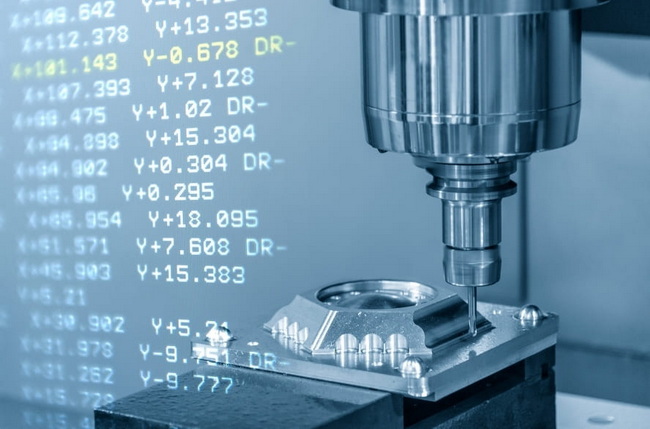
M codes manage machine behavior that is not pure motion but is critical for safe and efficient operation.
M Code | Function | Typical Use Case |
M00 | Program stop | Pause for inspection or manual action. |
M01 | Optional stop | Conditional pause when the option is enabled. |
M02 | Program end | Marks the end of a program in some control schemes. |
M03 | Spindle on, clockwise | Standard cutting direction for most tools. |
M04 | Spindle on, counterclockwise | Reverse rotation or special tools. |
M05 | Spindle stop | Stop rotation before tool change or inspection. |
M06 | Tool change | Automatic change to the specified tool. |
M08 | Coolant on | Start flood or mist coolant. |
M09 | Coolant off | Stop coolant flow. |
M30 | Program end and rewind | Return to start, ready for the next cycle. |
Different controller brands may use slightly different M-code maps, so checking the machine's control manual is always necessary.
G and M codes are complementary but serve different roles in CNC programming.
Aspect | G Code | M Code |
Primary role | Control tool motion and machining geometry. | Control machine and auxiliary functions. |
Examples | G00, G01, G02, G03, G90, G54. | M03, M05, M06, M08, M30. |
Frequency | Appears on most blocks during cutting. | Used intermittently for setup and support tasks. |
Standardization | Largely standardized. | More machine specific variations. |
Impact | Directly shapes geometry and surface finish. | Manages process reliability and automation. |
Typical errors | Wrong paths, crashes, poor tolerances. | Coolant failures, spindle errors, unsafe stops. |
Understanding this division makes it easier to debug programs and collaborate across engineering, programming, and production teams.
CNC programming is evolving rapidly with improved CAM software, automation, and optimization techniques.
- Modern CAM systems offer toolpath strategies that reduce air cuts, stabilize tool engagement, and auto-tune feeds and speeds, generating more efficient G-code with fewer manual edits.
- Advanced verification tools highlight potential collisions, over-travel, and spindle overload, which helps prevent crashes before they happen.
- Process optimization aims to reduce idle moves, unnecessary rapids, and inefficient operations to lower cycle times, energy consumption, and scrap.
Suppliers with robust programming and process control can offer better cycle times and more stable quality, which is valuable for international OEMs seeking reliable partners.
A simplified CNC milling program typically follows a consistent structure.
- Start with a safety line that sets units, coordinate plane, and cancels any remaining offsets or canned cycles.
- Call the tool and spindle speed with the appropriate motion and auxiliary codes.
- Position the tool above the part, then engage feed and cutting moves to machine the feature.
- Use canned cycles where possible for repeated operations such as drilling or tapping.
- Finish with a safe shutdown routine that stops the spindle, turns off coolant, and returns axes to a safe position.
This structured approach makes programs easier to maintain, simulate, and transfer between machines and suppliers.
Strong G/M-code discipline improves safety, quality, and efficiency.
1. Use a safety block at the start of each program
Include units, plane definition, cutter compensation cancel, canned cycle cancel, and absolute mode to avoid hidden states.
2. Limit M codes per block
Keeping a single major M code in each block reduces unexpected controller behavior and makes debugging faster.
3. Use work offsets consistently
Define and document work coordinate systems for fixtures and setups so programs remain portable and easy to reuse.
4. Prefer absolute coordinates for critical features
Absolute mode is less error-prone when individual lines are edited, commented out, or reordered.
5. Simulate and dry-run new programs
Combine CAM simulation with single-block and reduced-feed trials to verify clearances and motion before full-speed machining.
6. Standardize templates and post-processors
Consistent headers, tool call formats, and shutdown sequences reduce mistakes when moving programs between machines and shifts.
For overseas brand owners and manufacturers, working with an experienced OEM partner is critical to turning digital designs into consistent physical products.
- A capable supplier uses optimized G/M-code libraries tailored to each machine to shorten cycle time while extending tool life.
- Standardized safety blocks, probing routines, and canned cycles are applied across materials such as metal, engineering plastics, and elastomers.
- Every new NC program is validated through simulation, trial runs, and in-process inspection to ensure dimensional accuracy and surface quality.
These capabilities support long-term, repeatable OEM production for global brands, from prototype runs to large-scale series manufacturing.
To improve CNC programming quality and efficiency, the following steps are useful.
1. Review existing programs for missing safety lines, inconsistent units, and redundant tool changes.
2. Create a standard program header and footer with commonly needed setup and shutdown commands.
3. Replace repeated manual drilling patterns with appropriate canned cycles wherever possible.
4. Make simulation and single-block test runs mandatory for new or revised programs.
5. Maintain a clear internal reference chart summarizing machine-specific codes for all controllers on site.
If your business requires high-precision CNC machined parts, plastic components, silicone products, or metal stamping with stable quality and dependable delivery, collaboration with a focused OEM partner can make a decisive difference.
Share your drawings, 3D models, and technical requirements to receive engineering feedback, optimized machining solutions, and a tailored quotation. Use this opportunity to upgrade your supply chain with a partner that understands G and M code optimization, multi-process manufacturing, and international quality expectations.
Get in touch now to discuss your next project and secure a reliable OEM partner for high-precision parts and professional manufacturing support.
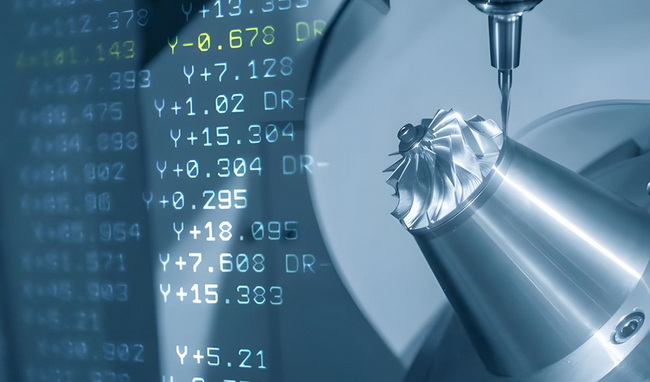
G-code defines how the tool moves relative to the workpiece, including straight lines, arcs, coordinate planes, units, and work offsets. It is responsible for shaping the geometry of the finished part.
M-code controls auxiliary machine functions such as starting and stopping the spindle, switching coolant on or off, executing tool changes, pausing programs, and marking program end or rewind.
Many basic commands are similar, but details, especially for M-codes and advanced functions such as canned cycles and macros, can vary across brands and control models. Machine manuals should always be checked.
Understanding G and M codes remains valuable because it helps with troubleshooting, minor on-machine edits, process optimization, and safer commissioning of new programs, even when CAM generates the initial code.
Using a standardized safety block, clear tool call structure, consistent work offsets, and mandatory simulation or dry-run checks significantly reduces the risk of crashes, scrap, and unplanned downtime.


