Views: 244 Author: U-Need Publish Time: 2026-08-07 Origin: Site
Content Menu
● Best CAD Software for CNC Design
>> AutoCAD
>> SolidWorks
>> Fusion 360
>> CATIA
● Best CAM Software for CNC Machining
>> Mastercam
>> Edgecam
>> PowerMill
>> SolidCAM
>> Mach3
>> LinuxCNC
>> GRBL
● How to Choose the Right CNC Software
>> 1. Match the software to the job
>> 2. Consider the learning curve
>> 3. Check machine compatibility
● CNC Software Trends in Modern Manufacturing
● Why CNC Software Matters in Outsourced Manufacturing
● FAQ
>> What is the difference between CAD, CAM, and CNC control software?
>> Which CNC software is best for beginners?
>> What is the best CNC software for complex machining?
>> Is free CNC software suitable for production use?
>> How do I choose CNC software for a manufacturing company?
>> Can a CNC supplier work with my existing files?
CNC software is the set of digital tools used to design parts, generate toolpaths, and operate CNC machines. In a typical workflow, CAD software creates the part geometry, CAM software converts the design into machining instructions, and control software runs the machine on the shop floor.
For manufacturers, this software stack is not just a convenience. It directly affects part accuracy, cycle time, machining stability, and repeatability. When the workflow is well matched to the job, teams can reduce programming errors and improve first-pass success.
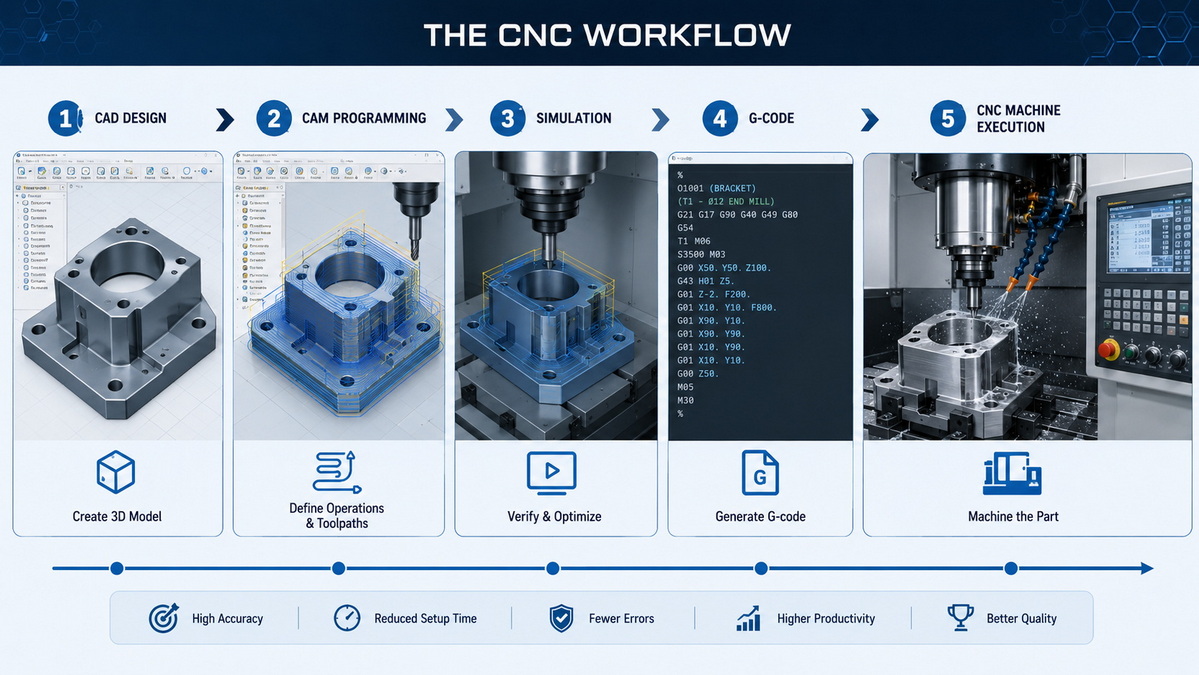
A standard CNC workflow usually follows this sequence:
1. Create the part in CAD.
2. Build toolpaths in CAM.
3. Simulate the process and check for collisions.
4. Post-process the program into machine-readable code.
5. Load the code into the CNC controller.
6. Run the job and inspect the finished part.
Each step plays a different role. CAD defines the geometry, CAM determines how the tool will move, and control software executes the final instructions on the machine.
CNC software is usually grouped into three categories. Understanding the difference helps avoid choosing a tool that solves the wrong problem.
| Type | Purpose | Typical Use |
|---|---|---|
| CAD | Create 2D and 3D part designs | Engineering and product development |
| CAM | Generate machining toolpaths and G-code | CNC programming and production |
| Control Software | Operate the CNC machine | Machine execution and shop-floor use |
A common mistake is to treat all CNC software as the same thing. In practice, a company may need strong CAD but only basic control software, or advanced CAM for multi-axis machining but simple drafting tools.
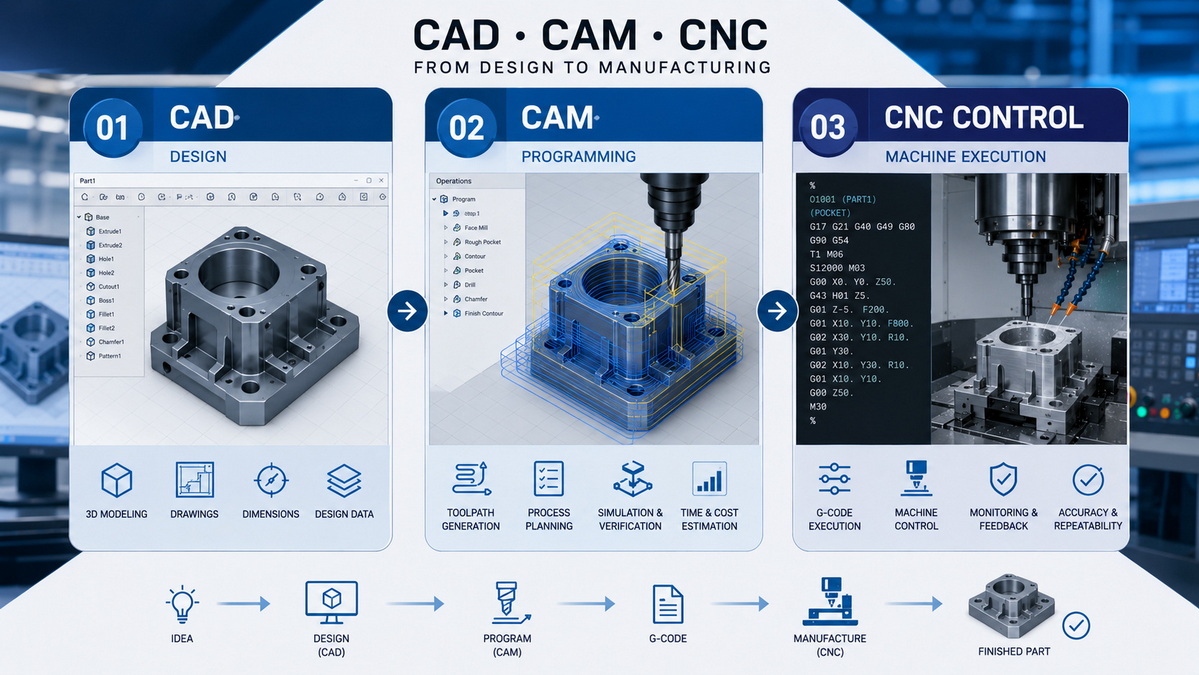
CAD software is the starting point for most CNC projects. The best option depends on whether the work is focused on drafting, mechanical design, or integrated production planning.
AutoCAD is widely used for 2D drafting and technical drawings. It is helpful when a project relies heavily on clear documentation, layouts, and precise geometric control.
SolidWorks is a strong choice for mechanical parts, assemblies, and sheet metal design. It is especially useful when engineers need to validate fit, function, and manufacturability before machining.
Fusion 360 combines CAD and CAM in one environment, which makes it attractive for smaller teams and fast-moving projects. It is often chosen for its smoother workflow between design and machining.
CATIA is a high-end platform commonly used in complex industries such as aerospace and automotive. It is best suited for advanced engineering work that involves demanding product structures.
CAM software has one of the biggest effects on production quality. It determines toolpaths, machining efficiency, and how much manual work is needed before the machine starts cutting.
Mastercam is one of the most established CAM packages in the market. It is known for broad compatibility, strong toolpath generation, and support for both standard and advanced machining operations.
Edgecam is often used in production environments that value automation and efficiency. It can help reduce programming time for recurring parts and repeat jobs.
PowerMill is a strong option for complex surfaces, multi-axis machining, and high-precision work. It is often used in mold and die applications where toolpath quality matters greatly.
SolidCAM integrates closely with SolidWorks, which creates a more connected workflow from design to machining. It is a useful choice for teams that prefer to stay inside one design ecosystem.
Control software is the interface that runs the CNC machine. It translates the machining program into real machine motion, so stability and compatibility are both important.
Mach3 is widely used in small shops and hobby setups because it is accessible and flexible. It is practical for lighter CNC applications and entry-level systems.
LinuxCNC is an open-source option that offers strong flexibility for users comfortable with Linux-based systems. It is valued by users who want more control over customization.
GRBL is commonly used for desktop CNC machines and simpler setups. It is lightweight, cost-effective, and suitable for entry-level machine control.
The right CNC software depends on the actual production environment, not just the feature list. A good choice should match the part type, operator skill level, and machine capability.
Choose software based on whether you are doing 2D drafting, 3D modeling, multi-axis machining, mold making, or sheet metal production.
If the team is new to CNC, a simpler interface may improve adoption and reduce setup errors. Advanced users may prefer deeper customization and simulation capabilities.
Some programs work better with certain controllers, file formats, or machine brands. Compatibility should be verified before purchase or implementation.
License price is only part of the cost. Training, updates, post-processors, and support also affect the total investment.
Reliable documentation, technical support, and community resources can make implementation much easier. These factors often matter more than small feature differences.
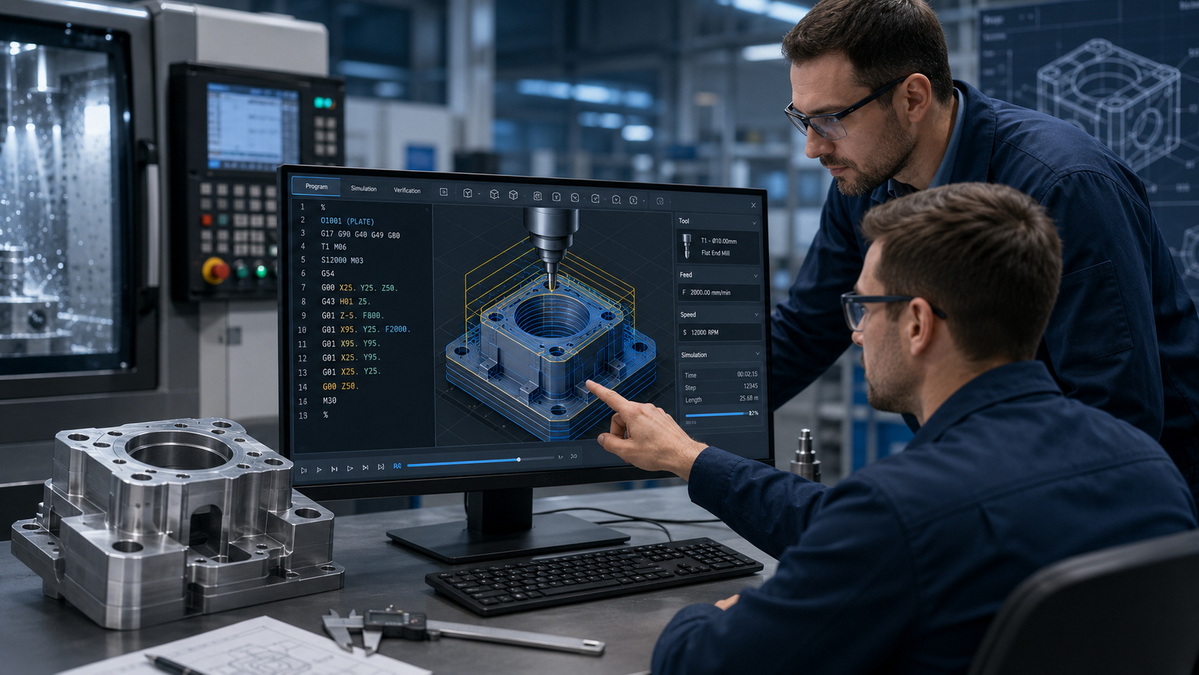
CNC software has become more connected and more data-driven. Many manufacturers now expect software to do more than generate toolpaths.
Current trends include:
- AI-assisted machining optimization.
- Cloud collaboration for engineering teams.
- Predictive maintenance support.
- Better machine connectivity through IoT systems.
- More efficient machining strategies that reduce waste.
These changes matter because they improve planning, visibility, and production consistency. For manufacturers, software is becoming part of the wider production system rather than a standalone programming tool.

When machining is outsourced, software compatibility still affects project success. Clean CAD data and well-prepared CAM files can reduce back-and-forth communication and improve turnaround time.
This is especially important for:
- Prototype parts.
- OEM components.
- Custom molds and dies.
- Precision sheet metal parts.
For suppliers and buyers alike, better digital preparation usually means fewer surprises on the shop floor and a smoother path to a finished part.
CNC software is a major factor in machining performance, from design accuracy to shop-floor execution. The best option depends on the type of work, the complexity of the parts, and the experience of the team using it.
For manufacturers working on precision parts, molds, or sheet metal fabrication, the most effective software is the one that supports clear design intent, efficient programming, and stable production. Choosing carefully can save time, reduce errors, and improve the quality of every finished part.
If you need a manufacturing partner that understands how CNC software connects to real production results, U-Need can support your project from the first drawing to final machining.
CAD is used to design the part, CAM is used to create machining toolpaths, and control software runs the machine.
Fusion 360, Mach3, and GRBL are often considered beginner-friendly because they are relatively easy to learn and widely used.
PowerMill, SolidWorks with CAM integration, and CATIA are strong choices for advanced parts and multi-axis work.
Free software can work for simple jobs, but production environments usually require stronger support, simulation, and compatibility features.
Focus on the type of parts, machine compatibility, operator skill, cost, and support quality.
Yes, most professional CNC suppliers can work with common file formats such as STEP, IGES, and DWG, although file quality still matters.
1. RapidDirect, [Best CNC Software for CNC Machines from Beginner to Expert Level]
2. RapidDirect, [China Top 10 Precision Machining Company and Suppliers]
3. U-Need, [China Custom CNC Machining Services | OEM Parts]
4. U-Need, [U-Need Precision Machining | Custom CNC Parts & Molds]


